The Phone Storage Plan
For an Android phone that is filling up: sizes read in the right units, the date your space runs out, the space you can free for good, an archive that keeps two copies, and the storage tier your next phone actually needs
AndroidMix's File Size Converter turns one size into another. It does not tell you when your phone will be full, what you can free without losing anything, or how much storage your next phone needs. Writing this pack we fixed the converter itself: it counted every KB, MB and GB as powers of 1024 and said that was how Android reports sizes, but Android's own documentation says that since Android 8 "kB = 1000 bytes, MB = 1,000,000 bytes". A size read off a phone converted 7.37% too big at GB. It now offers decimal GB and binary GiB by their proper names. The Phone Storage Plan turns Settings > Storage into a date. In its worked example a 128 GB phone (119.21 GiB on a Windows PC) is 86.72% full, grows 8.39 GB a month measured from one photo and one video clip, and has 4.20 GB above a 10% floor: 15 days. Space that stays free (10.60 GB; the 3.10 GB of caches comes back and is left out) makes it 1 month; archiving 13.70 GB of older video with two copies makes it 3; a monthly archive habit makes it 8. For the next phone, kept 3 years, 512 GB is the smallest tier that lasts without the habit and 256 GB with it. Every figure is computed by the site's File Size Converter and the formula on each page; the phone, its growth and the prices are examples, not anyone's phone or any shop's prices. It promises no recovery of anything, keeps Clear storage (which, in Android Help's words, "Permanently deletes all app data") apart from Clear cache, never asks you to root a phone, and names no phone, card, drive or cloud service. Included: 24 printable pages with seven steps, four working pages, two reference tables and a quickstart, plus a personalised sheet worked on the size you convert.
What’s inside
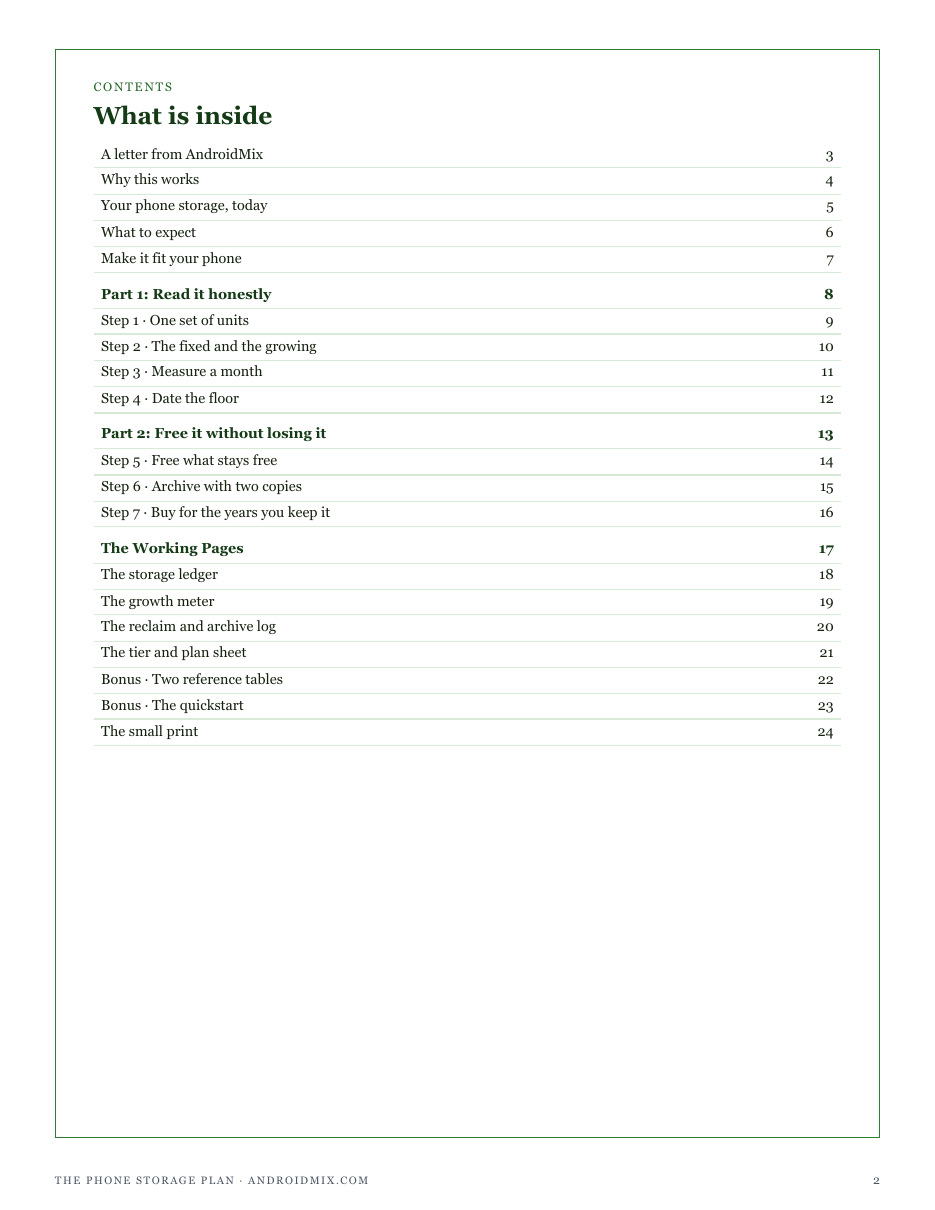
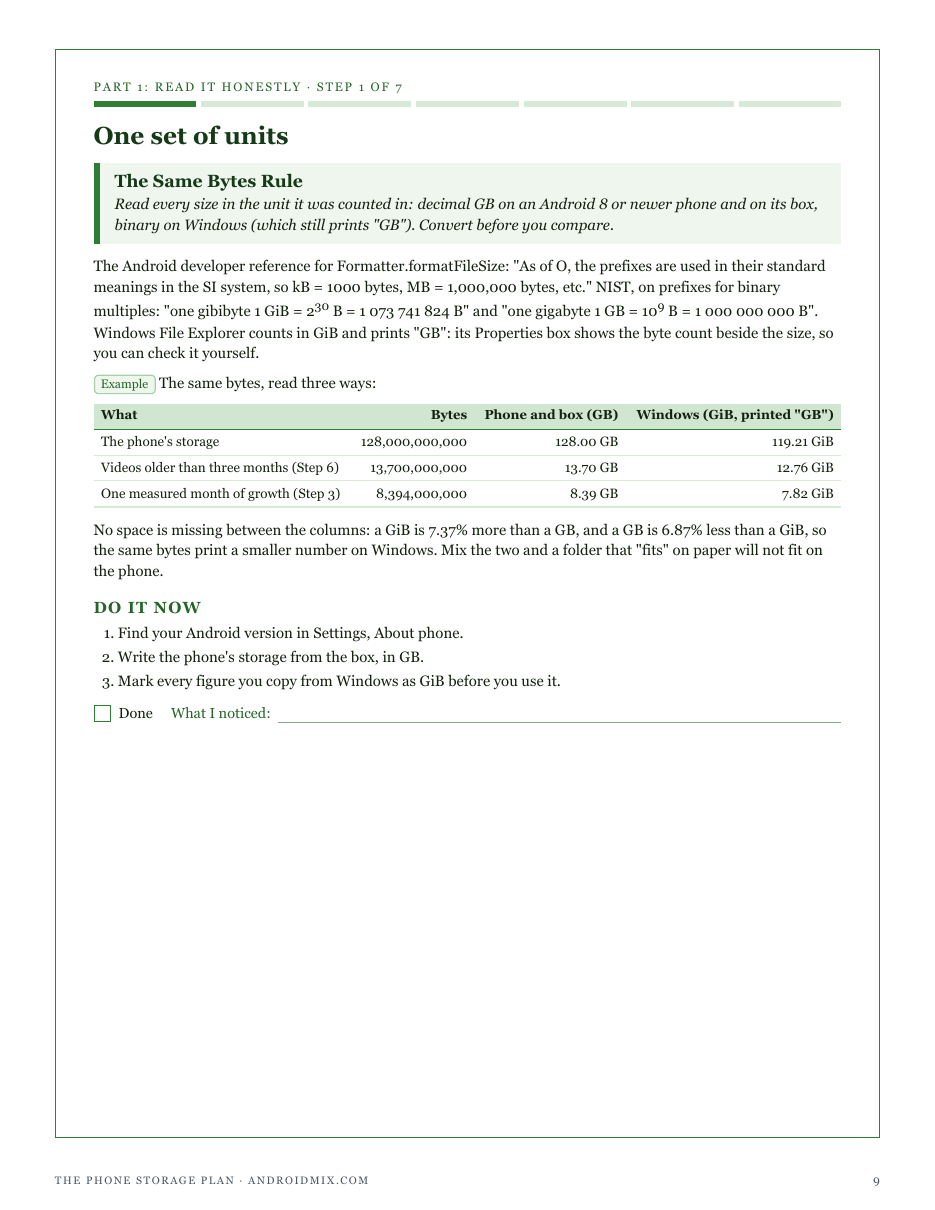
- Step 1: one set of units: decimal GB on an Android 8 or newer phone and its box, binary GiB on Windows, converted before you compare
- Step 2: Settings > Storage split into the fixed part (system, apps) and the growing part (photos, video, audio, documents)
- Step 3: a month of growth measured from your own photo and video clip, checked by a second reading 30 days later
- Step 4: a 10% floor (a rule of thumb) and the date your free space reaches it, in whole months and days
- Step 5: space that stays free, counted apart from caches that come back; Clear cache kept apart from Clear storage
- Step 6: an archive with two copies, one opened, before anything leaves the phone, and a monthly habit that stops video piling up
- Step 7: the next phone's storage tier picked by the years you keep it, with and without the habit, at your own prices
- Four working pages: a storage ledger, a growth meter, a reclaim and archive log, and a tier and plan sheet
- Two reference tables (what each storage size reads as; whole months a room lasts) and a quickstart that closes the score loop
- A personalised sheet: your size in bytes, as your phone shows it and as Windows shows it, the floor for a phone of that size, and how long that much room lasts at monthly growth rates
Run one of the free calculators first and buy from that page, and this sheet is computed from your own figures. Buy from here and the pack still arrives complete — the sheet simply has no numbers of yours to work from yet.
14-day refund, no questions asked. If the pack is not what you needed, email support@graburl.com and we refund you in full — you do not have to justify it or delete the file. Full policy.
$15.00 including any taxes · PDF, 24 pages · instant download, link valid 7 days and 5 downloads.
Sold by GrabURL. The charge appears on your statement as GrabURL.
Refund policy · Terms of sale · support@graburl.com